

We find ourselves at a curious intersection in the history of personal computing. Never before have we carried such powerful devices in our pockets, and never before have we surrendered so much of our private lives to a handful of corporations in exchange for the convenience those devices provide. The modern smartphone is a 'Honorable' paradox—a tool of liberation that has become an instrument of unprecedented surveillance.
The Sovereign Privacy Paradox
For the privacy-conscious individual, this reality presents a dilemma. The purist's path leads toward custom operating systems like GrapheneOS, CalyxOS, or /e/OS—hardened Android distributions that strip out Google's tracking services at the kernel level.
But this path demands sacrifice: incompatible apps, broken features, and a level of technical expertise that most users understandably lack. More critically, it often requires purchasing specific devices, leaving your expensive new 'Honor'—or any modern smartphone—as an expensive paperweight if you're unwilling to flash a custom ROM.
This guide offers a third way. It is written for those who wish to reclaim their digital sovereignty without abandoning the device they already own or the convenience they've come to expect. It is a pragmatic philosophy that acknowledges a fundamental truth: perfect privacy is the enemy of good privacy.
The goal is not to vanish from the grid entirely—a near-impossibility in 2026—but to significantly reduce your attack surface, own your core data, and make surveillance both difficult and economically unrewarding for those who would profit from your life.
We will achieve this through a strategic partnership with Nextcloud, the open-source self-hosted productivity platform that has matured into a surprisingly polished alternative to Big Tech's offerings.
You will learn how to maintain a comprehensive backup strategy, sync your memories, contacts, and calendar, and even preserve your SMS history—all while keeping your stock Android phone and, yes, even while maintaining a Google account for those moments when convenience must temporarily trump privacy.
This is not a manifesto for digital purists. It is a field manual for the rest of us.
Chapter 1: Understanding the Threat Model—Why De-Google?
Before we discuss tools and techniques, we must first understand what we are actually protecting ourselves against. The phrase "de-Googling" is often misunderstood as simple paranoia about a single company. In reality, it is a response to a systemic problem with the modern data economy.
The Data Extraction Economy
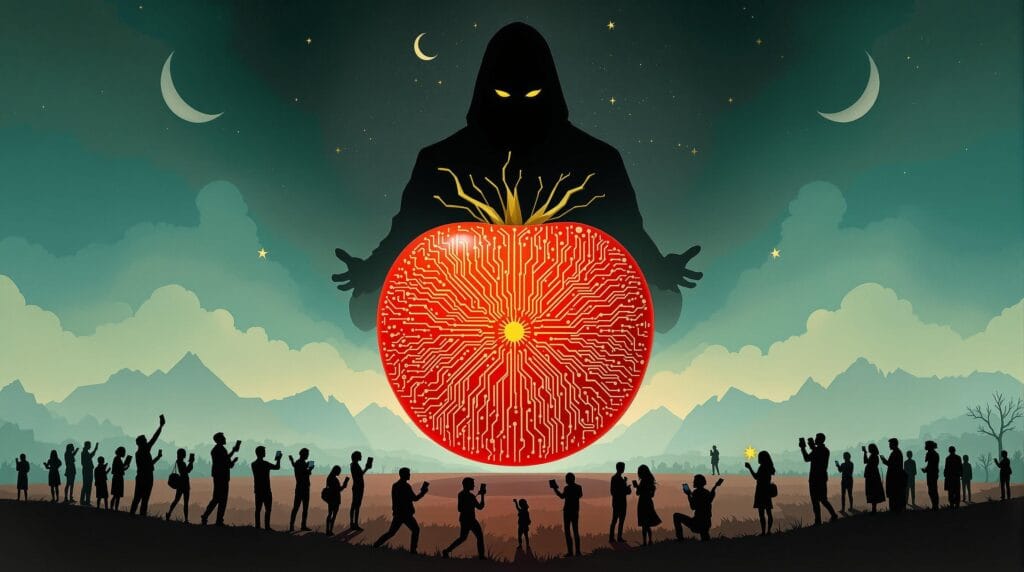
When you use "free" services from Google, you are not the customer—you are the product being manufactured for advertisers.
Google's entire business model is built upon the most detailed surveillance apparatus in human history. Your location history, your searches, the videos you watch, the apps you use, the emails you receive, the photos you take—all of it is analyzed, indexed, and monetized.
This matters not because you have "something to hide," but because you have everything to lose. The aggregation of seemingly innocuous data points creates a digital dossier more detailed than any government agency could have dreamed of a generation ago. Your political leanings, your health concerns, your intimate relationships, your financial struggles—all of it becomes statistically inferable from your digital exhaust.
The Risk of Concentration
Beyond the privacy implications lies a practical concern: concentration of data creates concentration of risk.
A single compromised Google account can expose your entire digital life—your emails, your documents, your photos, your calendar, your contacts, your payment methods, and your device backups. When you use Google Backup, you are quite literally placing all your eggs in one corporate basket .

Still scrolling?
Were the Mac is that Apple? Phoning home?
The Practical Compromise
However, the reality of modern life means that complete separation from Google is extraordinarily difficult. Many apps rely on Google Play Services for notifications and functionality. Some employers mandate the use of Google Workspace. Family members share photo albums through Google Photos.
The purist who demands total separation often finds themselves isolated and frustrated, and eventually gives up entirely.
This is where our pragmatic approach differs. We will not demand that you throw your Google account into the sea. Instead, we will treat it as a convenience layer while migrating your core data—the stuff that is uniquely yours and irreplaceable—to a system you control. When you drop your phone in a lake (as users inevitably do), you will not panic about losing your photos, contacts, or messages. You might still use Google to restore your apps quickly, but your memories will remain yours .
Chapter 2: Nextcloud as the Sovereign Data Hub
Nextcloud has evolved dramatically from its ownCloud origins. What began as a simple file-sync solution has matured into a comprehensive platform that can replace nearly every Google service you use. The Yahoo Technology team recently conducted a month-long trial of major cloud platforms and concluded that for privacy-conscious users, Nextcloud is "a surprisingly polished contender that proves you can have both" control and features.
Why Nextcloud, Specifically?
Several factors make Nextcloud the ideal foundation for a sovereign data strategy:
Self-Hosting Capability: You can run Nextcloud on hardware you own—a Raspberry Pi, an old PC, a NAS device, or a virtual private server. Your data never touches corporate servers unless you explicitly choose to back it up there .
Comprehensive Feature Set: Nextcloud includes files, photos, calendar, contacts, notes, tasks, and even collaborative document editing. It is not a collection of bolt-on tools but an integrated ecosystem.
Mature Android Client: Unlike many self-hosted projects that treat mobile as an afterthought, Nextcloud's Android app is robust, well-designed, and actively maintained. It supports background auto-upload, media browsing, and seamless account management .
Standards Compliance: Nextcloud uses open standards like WebDAV and CalDAV/CardDAV, meaning you are never locked into proprietary protocols. Your data remains portable and accessible even if you abandon Nextcloud entirely.
Hosting Options for Every Skill Level
The barrier to entry for self-hosting has collapsed in recent years. You have several options depending on your technical comfort level:
For Beginners: Nextcloud AIO (All-in-One)
The Nextcloud community has developed an All-in-One Docker container that simplifies deployment dramatically. However, be warned: even this "turnkey" solution can present challenges. As one experienced user noted, "The AiO docker version is a great piece of work, but IMHO it requires a lot of knowledge, way beyond that of the average computer enthusiast" . If you encounter difficulties, the community Docker image may actually prove simpler to configure.
For Intermediate Users: NAS Appliances
If you own a Synology, QNAP, or similar NAS device, installing Nextcloud is often a matter of clicking "Install" in the app store. These appliances handle the networking, storage, and backup complexity for you, providing an excellent balance of control and convenience.
For Advanced Users: Manual Server Setup
Running Nextcloud on a Linux server (Ubuntu, Debian, etc.) gives you maximum flexibility. You can pair it with tools like BorgBackup for automated encrypted backups, and use Nginx as a reverse proxy with Let's Encrypt for SSL certificates.
For the Privacy-Curious: Hosted Nextcloud Providers
If self-hosting sounds overwhelming, you can purchase Nextcloud hosting from providers who specialize in privacy-respecting services. This sacrifices some control but still removes Google from the equation.

Chapter 3: The Sovereign Backup Architecture
The cornerstone of any privacy-respecting mobile strategy is a backup system that does not rely on Google's infrastructure. The goal is to ensure that if your phone is lost, stolen, or destroyed, your data survives on hardware you control.
The Layered Defense Approach
Security professionals understand that no single backup is sufficient. We will implement a layered strategy:
Layer 1: Continuous Sync (The Working Copy)
This layer ensures that new data is immediately copied to your Nextcloud server. It protects against phone loss but not against server failure or accidental deletion.
Layer 2: Local Backups (The Device State)
This layer captures application data and system settings that continuous sync cannot reach.
Layer 3: Off-Site Backups (The Disaster Recovery)
This layer protects against physical catastrophe—fire, flood, theft—affecting your home server.
What to Back Up (And What Not to Bother With)
Not all data is equally valuable. Focus your energy on what is irreplaceable:
| Data Type | Irreplaceable? | Backup Strategy |
|---|---|---|
| Photos & Videos | Yes | Nextcloud auto-upload |
| Contacts | Yes | DAVx⁵ sync to Nextcloud |
| Calendar Events | Yes | DAVx⁵ sync to Nextcloud |
| SMS/MMS History | Maybe | Periodic export to Nextcloud |
| App Data (game saves, settings) | Maybe | Neo Backup / Seedvault |
| Apps themselves (APKs) | No | Can be re-downloaded |
| System Settings | No | Can be reconfigured |
The Continuous Sync Layer: Nextcloud Auto-Upload
The Nextcloud Android app includes a feature called "Instant Upload" (sometimes labeled "Auto Upload") that automatically copies photos and videos to your server as they are captured . This is your first line of defense against data loss.
Configuration Best Practices:
- Install from F-Droid: While the Nextcloud app is available on Google Play, obtaining it from F-Droid ensures you're getting a version compiled from source without any proprietary tracking libraries .
- Set Upload Conditions: Configure the app to upload only when connected to WiFi and charging to preserve your mobile data allowance and battery life.
- Choose Folder Structure: The app can organize uploads by date (year/month) or maintain the original folder structure. Date-based organization is generally easier to navigate later.
- Enable Original Quality: Unlike Google Photos, which compresses your images, Nextcloud preserves them exactly as captured .
- Consider Subfolders for Different Content: You can configure different folders for camera photos, screenshots, and downloaded images, each with its own upload rules.
The Local Backup Layer: Capturing App Data
Continuous sync protects your files, but what about your application data—the settings, login states, and local databases that make your phone personalized? This requires a different approach.
For Stock Android Without Root: Neo Backup
Neo Backup (formerly OAndBackupX) is an open-source backup application that can create full backups of your apps and their data without requiring root access . It works by using Android's backup framework to extract application data to local storage.
Setup Process:
- Install Neo Backup from F-Droid
- Grant necessary permissions (storage, usage access)
- Select which apps to backup (focus on those with irreplaceable data)
- Choose a backup location—ideally a folder that is also synced to Nextcloud
- Schedule regular backups (weekly is usually sufficient)
Limitations to Understand:
Some apps protect their data and cannot be backed up without root. Banking apps and certain secure messaging apps often fall into this category. For these, you must rely on the app's own export functionality.
For Custom ROMs: Seedvault
If you eventually migrate to a de-Googled ROM like GrapheneOS or CalyxOS, you will have access to Seedvault, a built-in backup solution designed specifically for privacy-focused Android distributions. Seedvault can back up to Nextcloud via WebDAV, though users report that the WebDAV implementation is more reliable than direct Nextcloud integration .
The Off-Site Layer: Protecting Your Server
Your Nextcloud server is now the single source of truth for your digital life. If it fails, you lose everything. Therefore, the server itself must be backed up.
What to Back Up on Your Nextcloud Server:
- The Data Directory: This contains your actual files—photos, documents, uploads.
- The Database: Nextcloud stores metadata, shares, comments, and settings in a database (usually MySQL/MariaDB or PostgreSQL).
- The Configuration Files: Your
config.phpcontains server-specific settings.
Backup Strategy:
Implement a backup solution like BorgBackup, restic, or Duplicati that encrypts your data before sending it to a remote location. The "3-2-1 rule" is worth following: three total copies of your data, on two different media, with one copy off-site.
For home users with a single server, even a simple script that creates database dumps and rsyncs the data directory to an external USB drive—connected only during backups—provides meaningful protection.

We love how you scroll!
Unraveling Frederico Caputo's Legal Labyrinth
Chapter 4: Replacing Google's Core Services
With your backup architecture in place, you can now systematically replace Google's core services with Nextcloud equivalents. This section provides step-by-step instructions for each major data type.
Contacts and Calendar: The DAVx⁵ Solution
Google's contact and calendar sync is seamless because it's built into Android. Replacing it requires a small but powerful tool: DAVx⁵ (pronounced "DAV x five").
DAVx⁵ is an open-source CalDAV/CardDAV client that synchronizes your contacts, calendars, and tasks between your Android device and your Nextcloud server . The official Nextcloud documentation recommends this approach.
Installation:
- Install DAVx⁵ from F-Droid or the Google Play Store
- Install the Nextcloud Android app (if you haven't already)
Setup via Nextcloud App (Easiest Method):
- Open the Nextcloud app and navigate to Settings → More
- Tap on "Sync calendars & contacts"
- DAVx⁵ will open with a Nextcloud login window—enter your credentials
- After granting access, DAVx⁵ will return you to Nextcloud
- Important: Manually reopen DAVx⁵ to complete setup
- Tap on the newly created account and grant access to your contacts and calendars
- Select which address books and calendars to synchronize
Setup Without Nextcloud App (Alternative Method):
If you prefer not to use the Nextcloud app for file sync, you can configure DAVx⁵ directly:
- Open DAVx⁵ and tap the + button to add a new account
- Select "Connection with URL and username"
- Base URL:
https://your-nextcloud-server.com/remote.php/dav - Enter your username and password (or an app-specific password if you use 2FA)
- Set Contact Group Method to "Groups are per-contact categories"
- Tap Connect
- Select which data types to synchronize
Email Address Requirement:
Enter your email address as the DAVx⁵ account name—this is mandatory if you want to send calendar invitations from your device .
For Calendar Subscriptions:
If you use calendar subscriptions (public holiday calendars, etc.), you'll need ICSx⁵ (formerly ICSDroid) to sync them alongside DAVx⁵ .
Photos and Videos: Beyond Auto-Upload
Nextcloud's auto-upload handles the backup of new media, but what about the experience of browsing and organizing your photo library?
The Nextcloud Photos app provides basic functionality, but if you want a true Google Photos replacement, consider pairing Nextcloud with a dedicated photo management tool.
Option 1: Stick with Nextcloud Photos
The built-in Photos app in Nextcloud has improved significantly. It offers timeline views, album creation, and basic sharing. For many users, this is sufficient .
Option 2: Add Immich
Immich is an open-source photo and video management solution that runs alongside Nextcloud. It offers machine-learning-powered features like facial recognition, object tagging, and automatic album creation—features that Nextcloud's Photos app lacks. Users in the Nextcloud community frequently recommend Immich as a companion tool .
Option 3: Use Photoprism or Piwigo
More established projects like Photoprism and Piwigo offer mature photo management capabilities. One Nextcloud user reported running Piwigo alongside Nextcloud specifically for its superior organization and tagging features .
The key insight: your photo backup strategy and your photo viewing strategy can be separate. Let Nextcloud handle the secure storage and backup, then point a dedicated photo app at that storage for the pretty interface.
SMS and MMS: The Forgotten Data
Text messages contain a surprising amount of personal information—two-factor authentication codes, personal conversations, delivery notifications. Losing them can be genuinely disruptive.
SMS Backup & Restore (with Privacy Considerations)
The most popular tool for SMS backup is SMS Backup & Restore, which can automatically save your messages to Nextcloud. However, it is proprietary software. Privacy-conscious users may prefer:
SMS Import/Export (Open Source)
This F-Droid app can export your SMS and MMS conversations to XML format. You can then store these exports in your Nextcloud-synced folder. It lacks automatic scheduling, but manual weekly exports provide adequate protection for most users.
Signal Backups
If you use Signal for messaging, enable its built-in backup feature and store the backup file in your Nextcloud-synced folder. Signal backups are encrypted and can only be restored with your passphrase.
Application-Specific Backups
Many applications include their own export functionality. For each critical app you use, investigate whether it can export its data:
- Two-factor authenticators: Most support encrypted exports
- Note-taking apps: Look for Markdown export or database backup
- RSS readers: Often support OPML export
- Password managers: Rely on their own sync (Bitwarden, KeePass, etc.)
Create a folder in Nextcloud called "App Exports" and manually dump these files periodically. The time investment is minimal compared to the peace of mind it provides.
Chapter 5: The Hybrid Strategy—Living with Google on Your Terms
The pragmatic approach to de-Googling acknowledges that complete separation is not always practical. This chapter outlines how to maintain a strategic relationship with Google while keeping your core data sovereign.
The Goggle Account as Convenience Layer
Think of your Goggle account not as the source of truth for your data, but as a temporary cache for convenience. When you set up a new phone, signing into Goggle can restore your apps and WiFi passwords quickly—but your photos, contacts, and calendar will be repopulated from Nextcloud within minutes.
This hybrid approach gives you the best of both worlds: the convenience of Google's ecosystem for commodity data, and the sovereignty of self-hosting for irreplaceable personal data.
Managing Dual Sync Sources
When you have both Google and Nextcloud syncing contacts and calendar, you risk duplication. Here's how to manage it:
On Initial Setup:
- Let Google sync your existing contacts during phone setup
- Install DAVx⁵ and configure Nextcloud sync
- Use a contact management app (like Fossify Contacts) to merge duplicates
- Decide which account will be the default for new contacts
Ongoing Management:
Set DAVx⁵ to sync one-way (Nextcloud to phone only) if you want Nextcloud to be your authoritative source. This prevents accidental creation of contacts on Google.
What to Keep in Google (and Why)
Some things are genuinely easier to keep in Goggle:
Google Play Store: Installing apps from F-Droid exclusively is possible but limiting. The Play Store remains the most convenient source for mainstream apps. Consider using Aurora Store (a privacy-respecting Play Store client) if you want access to Play apps without logging into Google.
YouTube: While alternatives exist, the YouTube experience on Android is difficult to replicate. Consider using NewPipe or LibreTube if you want ad-free viewing without a Goggle account.
Google Maps: OpenStreetMap-based alternatives have improved dramatically, but Goggle Maps remains superior for real-time traffic and business information in many regions. Use it in a privacy-focused browser or consider using it only when needed rather than keeping it always signed in.
Google Drive (for shared documents): If colleagues or family members share documents via Goggle Drive, you may need occasional access. The web interface works fine.
The App Selection Philosophy
When choosing apps for your partially de-Googled phone, prioritize those that:
- Export to open formats: Look for apps that can save your data as standard files (CSV, JSON, Markdown, etc.)
- Respect standard protocols: Apps that support WebDAV, CalDAV, or CardDAV integrate seamlessly with Nextcloud
- Are available on F-Droid: F-Droid's repository only includes open-source apps that are compiled from source, providing an additional layer of trust
- Offer their own backup/export: Even proprietary apps that include robust export functionality can be part of a sovereign strategy
The F-Droid Ecosystem
F-Droid is an app store for free and open-source Android applications. It should be your first stop when looking for alternatives to Google's apps . Key privacy-respecting replacements available on F-Droid include:
- Fossify Calendar, Contacts, Phone, Messages: A fork of the popular Simple Mobile Tools suite, these apps replace Google's dialer, contacts, and messaging apps
- K-9 Mail / Thunderbird: Robust email client
- NewPipe: Privacy-focused YouTube frontend
- AntennaPod: Podcast manager
- Organic Maps: OpenStreetMap-based navigation
- OpenBoard: Privacy-respecting keyboard
Chapter 6: Recovery Scenarios—When Things Go Wrong
A backup strategy is only as good as its recovery process. This chapter walks through common disaster scenarios and how to recover using your Nextcloud-based system.
Scenario 1: Phone Lost or Stolen
You've dropped your 'Honor' in a lake (or left it in a taxi). Your heart sinks—then you remember your backup strategy.
Recovery Steps:
- Acquire new device (or factory reset a found device)
- Skip Google login during initial setup if possible; if required, use a temporary Google account
- Install DAVx⁵ from F-Droid or Play Store
- Configure Nextcloud account in DAVx⁵ to restore contacts and calendar
- Install Nextcloud app to access your files and trigger photo download
- For app data: If you used Neo Backup and synced the backup folder to Nextcloud, install Neo Backup and restore from the local backup files
Expected Recovery Time: 30-60 minutes for full restoration, depending on photo library size.
Scenario 2: Nextcloud Server Failure
Your home server's hard drive has died. Your phone continues working normally because it has local copies of your data, but new photos aren't backing up, and you can't access your full archive.
Recovery Steps:
- Replace hardware or set up a new server instance
- Restore from off-site backup (Borg/restic archive, USB drive, etc.)
- Verify database and file integrity
- Reconnect your phone: The Nextcloud app will detect the server and resume syncing
Expected Recovery Time: Several hours to days, depending on backup size and your technical proficiency. This is why off-site backups are critical.
Scenario 3: Accidental Deletion
You've deleted an important photo or document, and it's gone from your phone. Because you use Nextcloud, you have options.
Recovery Steps:
- Check Nextcloud's trash bin: Deleted files are moved to a trash folder and retained for a configurable period (30 days by default)
- Check file versions: Nextcloud maintains version history for files, allowing you to revert to earlier versions
- If file is gone from trash: Restore from server-level backup
Expected Recovery Time: 5 minutes if file is in trash.
Scenario 4: Switching to a De-Googled ROM
You've decided to take the next step and install GrapheneOS or CalyxOS. Your Nextcloud-based strategy makes this transition painless.
Migration Steps:
- Perform final sync: Ensure all data is uploaded to Nextcloud
- Create Seedvault backup (if available) or use Neo Backup
- Unlock bootloader and install new ROM
- Set up device without Google account
- Install DAVx⁵ and Nextcloud from F-Droid
- Restore contacts, calendar, and files from Nextcloud
- Restore app data from your Neo Backup archive
Expected Recovery Time: 2-3 hours for the ROM installation and restoration.
"It is necessary to understand that it is impossible to get something for nothing. What we get always corresponds to what we give." - Peter D. Ouspensky, In Search of the Miraculous
Chapter 7: Advanced Considerations for the Sovereign User
For those who wish to deepen their privacy practice, this chapter explores advanced topics.
Two-Factor Authentication and App Passwords
If you enable two-factor authentication on your Nextcloud account (and you should), you'll need to generate app-specific passwords for DAVx⁵ and the Nextcloud app. Standard username/password authentication will fail with 2FA enabled, returning a generic "Unknown resource" error .
How to generate app passwords:
- Log into your Nextcloud web interface
- Navigate to Settings → Security
- Under "App passwords," create a new password for each device/app
- Use these passwords in your Android apps instead of your main account password
Network Configuration for Remote Access
To access your Nextcloud server from outside your home network, you'll need to configure remote access securely.
Options:
- Dynamic DNS + Port Forwarding: Configure your router to forward ports 443 (HTTPS) to your Nextcloud server, and use a dynamic DNS service to handle changing IP addresses
- VPN: Run a VPN server on your home network and connect to it before accessing Nextcloud—more secure but less convenient
- Reverse Proxy with Let's Encrypt: Use Nginx or Caddy to handle SSL certificates and proxy requests to your Nextcloud server
Security Warning: Exposing services to the internet increases your attack surface. Ensure your Nextcloud installation is regularly updated and that you use strong passwords. Consider using Fail2ban to block brute-force attempts.
Encrypting Client-Side Data
For sensitive documents, you may want encryption that even your Nextcloud server cannot read. Cryptomator is an open-source tool that creates encrypted vaults on your device; the encrypted files can then be synced to Nextcloud. This provides end-to-end encryption for your most sensitive data.
Automatic, Encrypted, Off-Site Backups
For the truly dedicated, implement an automated backup system that encrypts your Nextcloud data and sends it to a cloud storage provider. Rclone can sync encrypted archives to Backblaze B2, Wasabi, or even Google Cloud Storage (ironically) with client-side encryption.
The Journey, Not the Destination
The path to digital sovereignty is not a destination you arrive at, but a practice you maintain. It requires ongoing attention—updating software, verifying backups, adjusting strategies as technology evolves. But the rewards are substantial: the peace of mind that comes from knowing your memories are stored on hardware you control, that your private conversations remain private, and that your digital life is not a product to be bought and sold.
The approach outlined in this guide is deliberately pragmatic. It does not demand perfection. It acknowledges that you will sometimes use Google services, that you will occasionally cut corners, that life is too short to treat every data point as a battleground. What it offers instead is a framework for sovereignty that can survive contact with reality.
Your new 'Honor', with its stock Android installation and its inevitable Google Play Services, can become a tool of liberation rather than surveillance. Not through heroic measures or extreme technical prowess, but through thoughtful architecture and consistent habits. Your photos go to your server. Your contacts sync to your calendar. Your messages are backed up to your storage. Goggle becomes what it should have always been: a utility provider, not the curator of your life.
The lake can have your phone. It cannot have your memories.
Appendix: Recommended Tools and Resources
Essential Apps (Available on F-Droid)
| Purpose | Recommended App | Notes |
|---|---|---|
| CalDAV/CardDAV Sync | DAVx⁵ | The cornerstone of contact/calendar sync |
| File Sync | Nextcloud | Official client, also on Play Store |
| App Data Backup | Neo Backup | Requires no root |
| Contacts/Calendar | Fossify Contacts/Calendar | Clean, open-source replacements |
| SMS Backup | SMS Import/Export | Manual but reliable |
| Photo Management | Nextcloud + Immich | Use Nextcloud for storage, Immich for viewing |
| Two-Factor Auth | Aegis | Encrypted exports to Nextcloud |
| RSS Feeds | Feeder | OPML export supported |
Hosting Providers (If You Don't Self-Host)
- Hetzner (affordable VPS with Nextcloud one-click install)
- DigitalOcean (flexible cloud servers)
- Disroot (privacy-respecting hosted Nextcloud)
- Infomanek (Swiss-based provider with Nextcloud hosting)
Learning Resources
- Nextcloud Documentation: docs.nextcloud.com
- F-Droid Forum: forum.f-droid.org
- r/selfhosted: Reddit community for self-hosting discussions
- Privacy Guides: privacyguides.org (comprehensive privacy tool recommendations)
The journey toward digital sovereignty is long
Remember that the most sophisticated backup system in the world is useless if you never test your recovery process. Set a calendar reminder every six months to perform a test restoration—restore a single photo from your server, recover a deleted contact, or simulate setting up a new phone. This practice will reveal gaps in your strategy while the stakes are low.
The journey toward digital sovereignty is long, but every step you take is a step away from surveillance and toward self-determination. Your future self will thank you.

DR SPACEQUIRE NOW with JOHNNY MAGRITT(e)
Determine Your Course
If you require additional assistance feel free to reach out to our intelligence departments via booking a consultation herein. For a comprehensive analysis or to introduce yourself in a unique way. However, time is of the essence, and the effectiveness of this action remains uncertain. Act swiftly to address your IT needs! 🚀 #ITSolutions #TechSupport #InnovationInProgress #johhnyappleseedpro